
SHOUTcast Troubleshooting
If your broadcasting software can't connect to your stream, it's almost always because the software didn't send a station name. Here's how to fix it in the three programs we see this in most often.
Applies to: all plans. This also applies to AUTO-DJ live DJs connecting to a station with their broadcasting software.
Symptom
Your broadcasting software can't connect to your stream, or the connection fails silently with no useful error.
Cause
All S, M, and L streams run on SHOUTcast v2. For SHOUTcast v2 to accept a connection, your broadcasting software must send a stream/station/session name. If the name field is empty, the server rejects the connection.
The three programs below are the ones we most often see this issue with.
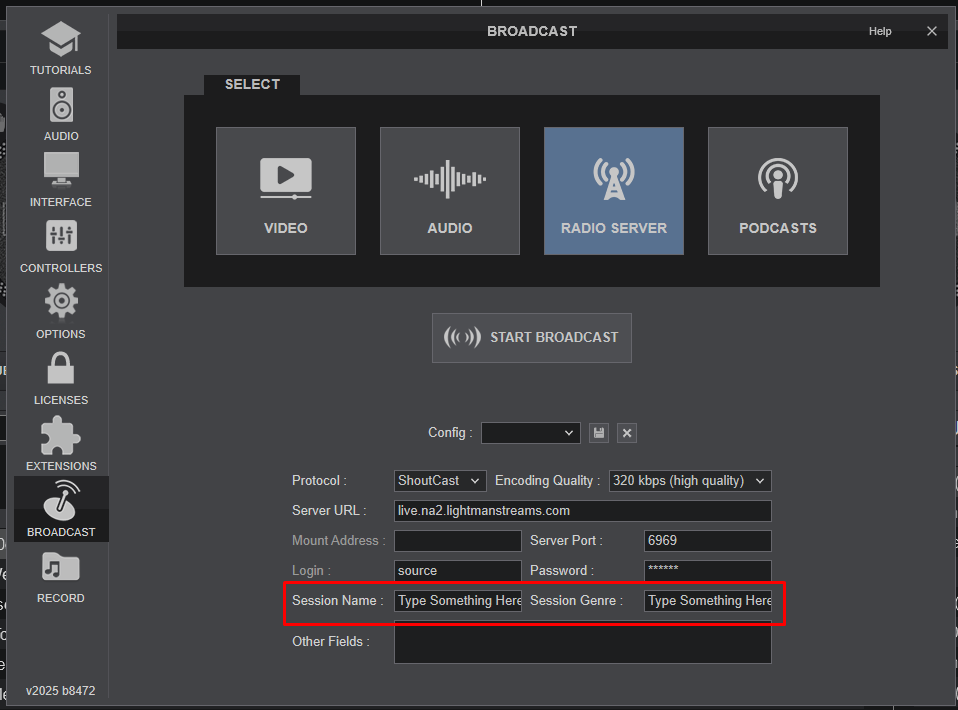
Fix in Virtual DJ
In the broadcast configuration:
- Session Name, required, must not be empty.
- Session Genre, set anything (e.g. "Whatever").
Fix in MIXXX
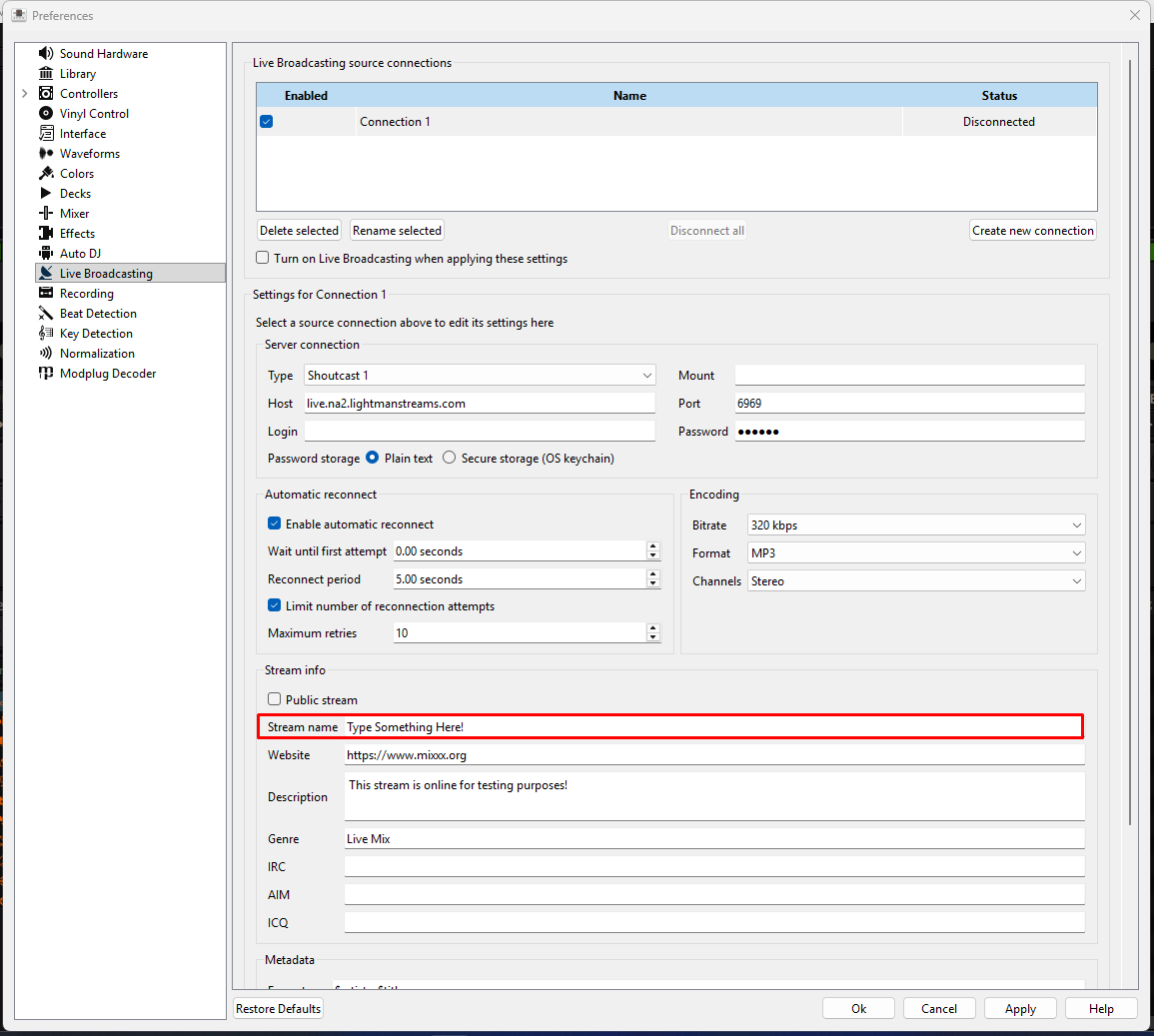
Open Preferences, then Live Broadcasting. Under the Metadata section:
- Stream name, required, must not be empty.
Fix in SAM Broadcaster
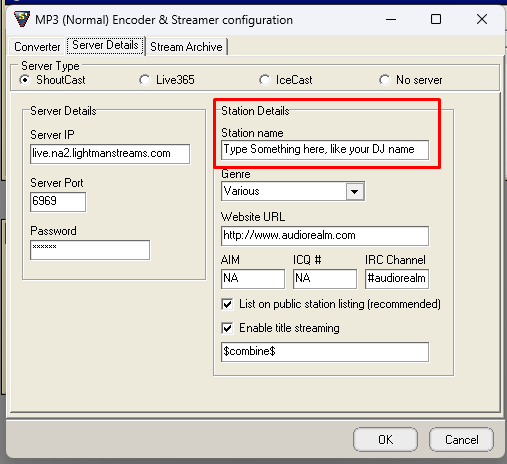
In the encoder / streamer configuration:
- Server Type, SHOUTcast (v1 or v2).
- Station Name, required, must not be empty.
- Genre, set anything.
Still stuck?
Reach out and we'll help you get unstuck.